PIJO

PIJO 0.12 for Windows 10 and 11

The screenshot lands where you can grab it

One hotkey. The capture is copied, saved and waiting in a card you can drag into any app

It waits until you need it

Every capture lands in a small card at the edge of the screen. It is already on the clipboard and already a file on disk. The card is the handle

  • One hover, five actions
    Edit, read the text, copy the image, copy the file or drag it out
  • Nothing jumps
    New captures stack above the old ones, your screen stays put
  • Pin and park
    Pin a card to keep it, drag it aside and it snaps into line

Everything on the card, one hover away

Point at a button on the card, or at a line below

  • EditOpen the capture in the editor
  • Recognize textRead the text in the shot, offline
  • Copy imagePut the picture on the clipboard again
  • Copy fileCopy it as a file, ready to paste into a folder or a chat
  • Drag the file outDrag it into any app that takes a file
  • PinKeep this one on screen
  • CloseDismiss the card when you are done

Five tools you can try right here

Small working copies of the real thing. Drag, draw and switch things, nothing here is a recording

Numbered steps with notes you can move

Each step carries a caption. Pull the caption off its badge and put it where there is room

  • CaptionDrag it away, a dotted leader keeps it tied to its badge
  • BadgeDrag it and the caption comes along
  • ClickOn the picture to add the next step, then type
  • DeleteRemoves a step and the rest renumber
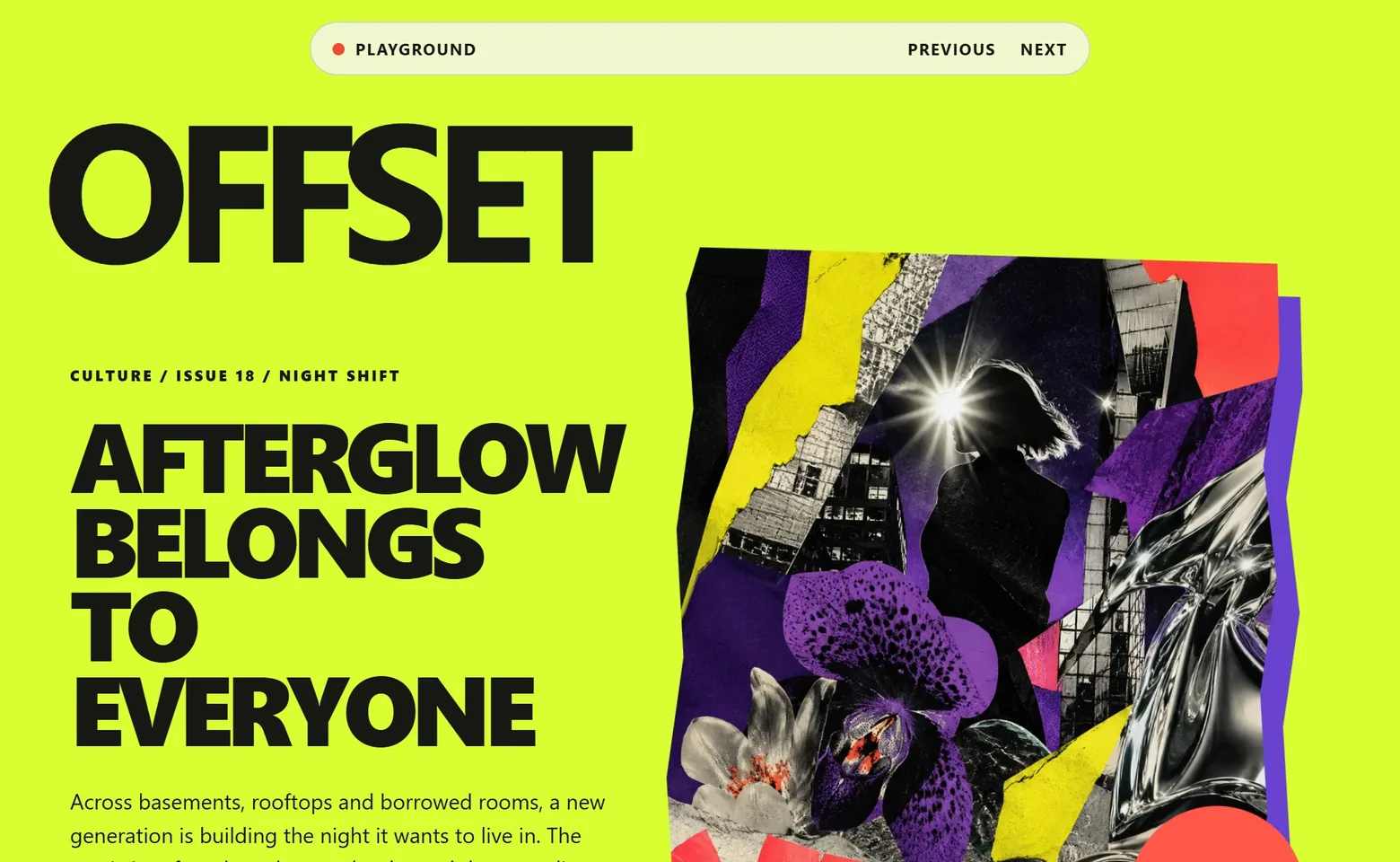
A captured product page with a camera

Pixel loupe

Fifteen pixels a side around the pointer, with the coordinates and the size of the selection

M
Move the pointer over the picture, press and drag to select

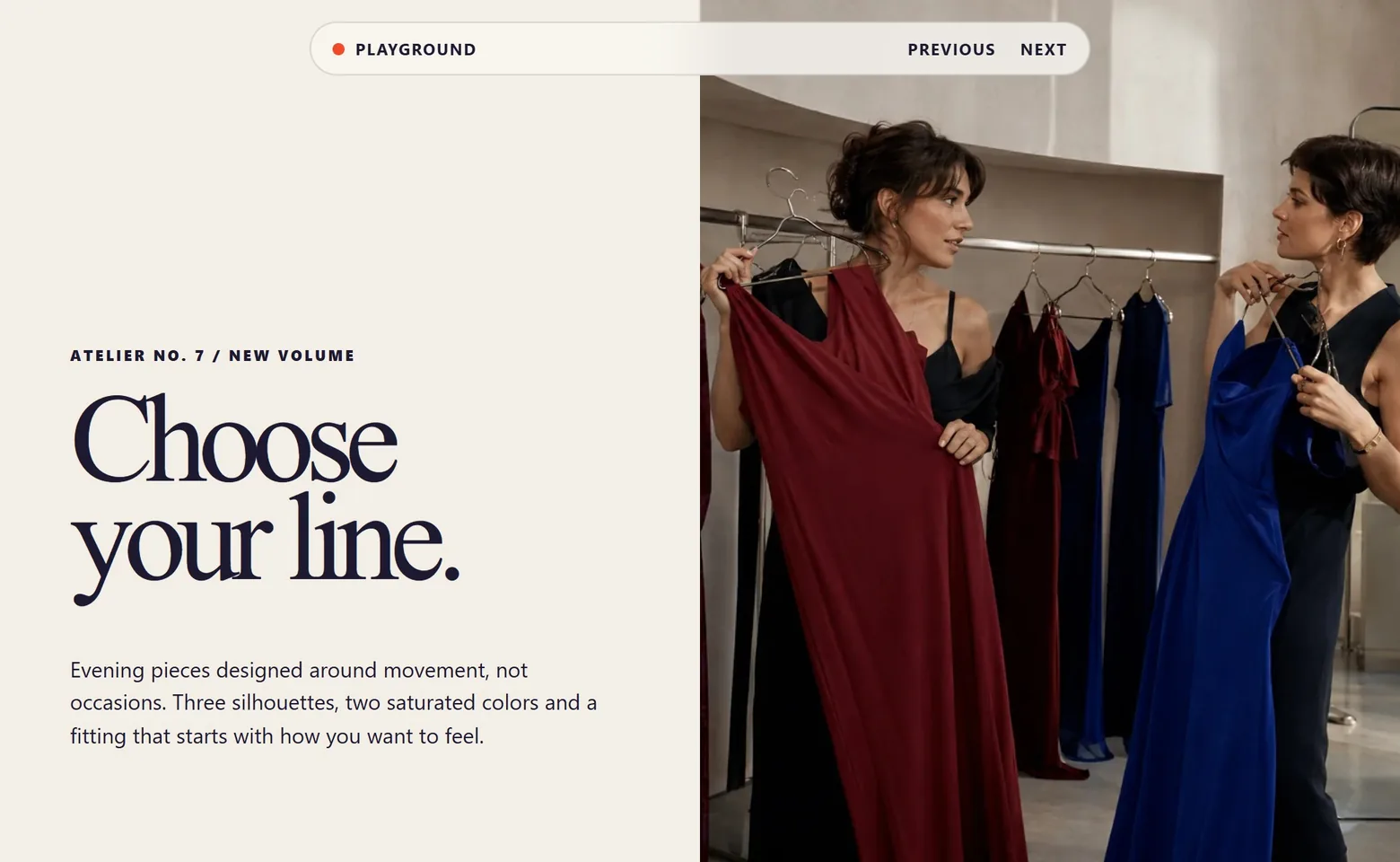
Spotlight

Dim everything except what matters. Several spotlights share one wash, with a hole for each

S
A captured fashion page
Drag a spotlight, or draw another one

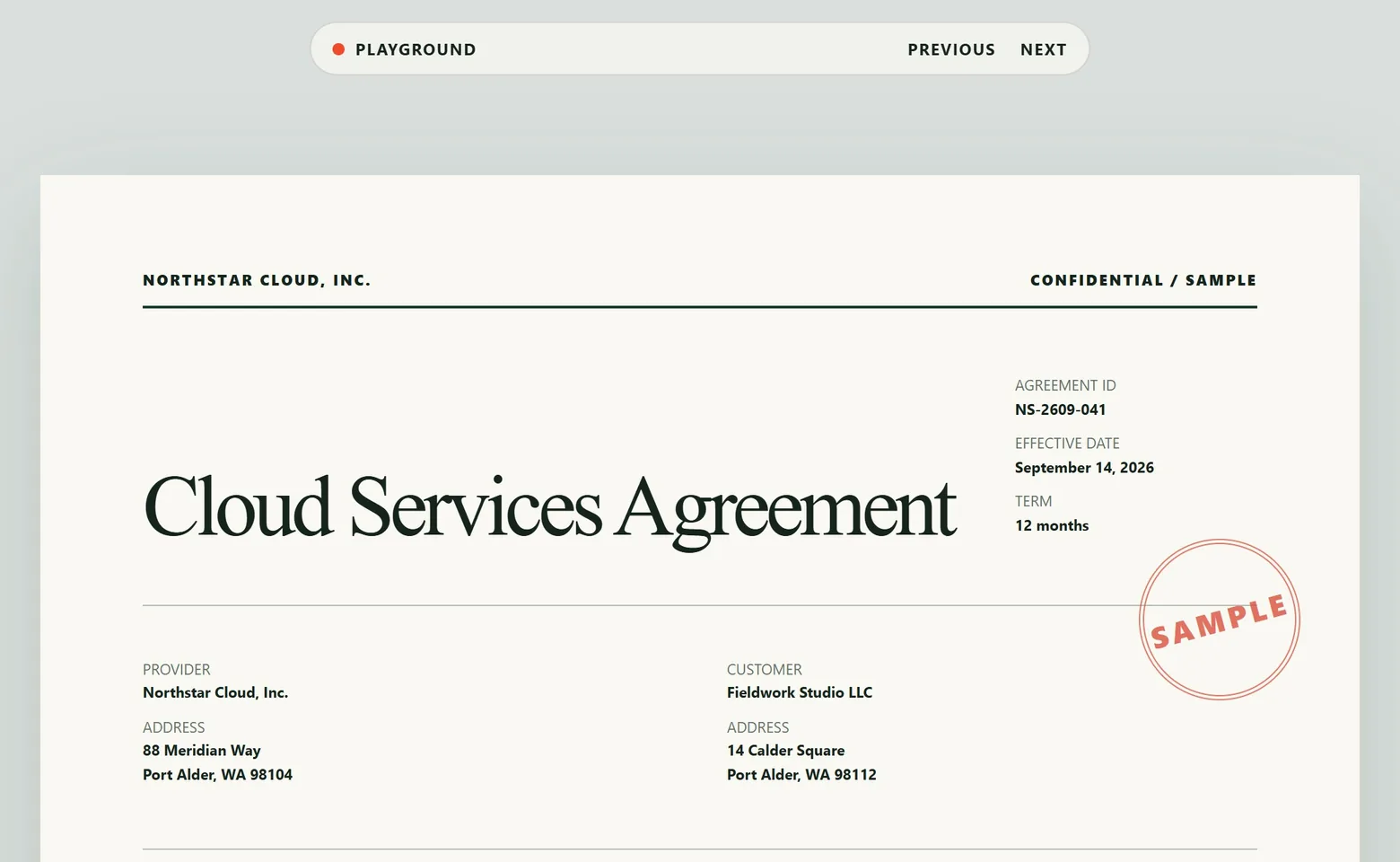
Highlight

A marker wash, the text under it stays readable

H
A captured contract page

Backdrop

Ten plates and one sampled from the shot itself. The shot is never cropped, the frame grows around it

B
A captured product page placed on a backdrop

Make the point, hide the rest

Opens on the capture, one key per tool, and there is no Save button because the file is always current

Say it with an arrow and a number

Arrows, numbered steps with captions, a spotlight that dims everything else, and a backdrop that makes the shot look finished. Thirty steps of undo, so nothing is a commitment.

  • AArrow
  • NNumbered step
  • RRectangle
  • SSpotlight
  • BBackdrop
  • CtrlZ30 steps of undo

Twenty more things, done properly

The parts you use every day, finished, with nothing to configure first

  • Pixelate or fillDrag over anything private to pixelate it or cover it with a solid fill
  • Recognize textOReads the text in the shot on your PC, offline. Copy a line or all of it
  • Scrolling captureScrolls the window by itself and stitches one image up to 32,000 px tall
  • Window captureOne hotkey takes the active window, nothing to select
  • Self-timerTFive seconds to open the menu you want in the shot
  • Crosshair guidesTwo hairlines through the pointer, readable on light and dark pages
  • Arrows, lines, boxesArrows with an optional glow, straight lines and rounded rectangles
  • Text labelsThree typefaces, five sizes and an optional plate behind the words
  • A second picturePaste another image into the shot and place it where you need it
  • CanvasCResize the canvas, pick a colour or make it transparent, add a shadow
  • TabsKeep several captures open in one editor window
  • Undo, 30 stepsThirty steps back and forward, so nothing is a commitment
  • Pin and snapPin a card to keep it. Drag it aside and it snaps into line, Alt turns the magnet off
  • Every monitorFull screen stitches all your displays, and cards work on any of them
  • Your file namesChoose the folder and a pattern with date, time, counter and mode
  • English and RussianSwitch the language in settings, no restart
  • Starts with WindowsOptional autostart, then it waits quietly in the tray
  • Cards stay out of the shotThe floating cards are never part of the next capture
  • Region captionsA tooltip on the edge of a box, or a card tied to it by a dashed line
  • Copied and savedOn the clipboard and saved to disk before you do anything

Four hotkeys, that is the manual

Each one copies the capture, saves the file and shows the card

CtrlShift1
Region
CtrlShift2
Active window
CtrlShift3
Full screen
CtrlShift4
Scrolling page
  • RRegion
  • WWindow
  • FThis screen
  • SScrolling
  • MLoupe
  • TTimer
  • EscCancel

Try it for 14 days, keep it for $19

The whole app from the first day. One payment when the trial ends, and nothing after that

PIJO for Windows

$19once

Free for the first 14 days

  • Every feature on this page
  • No subscription and no account
  • Installs per user, no admin rights
Buy PIJO for $19 Try free for 14 days

Version 0.12.1 · Windows 10 version 2004 or later · x64

How does the trial work

Download PIJO and use the full app for 14 days. After that, a one-time $19 licence keeps it running. Nothing is switched off during the trial.

Is $19 a subscription in disguise

No. It is a single payment. There is no renewal, no seat count and no account to keep alive.

Do my screenshots leave my PC

No. PIJO has no account and no upload. Captures go to your clipboard and to a folder on your disk, and text recognition runs locally, offline.

Snipping Tool is free. Why would I pay

Snipping Tool ends at a picture in a folder. It has no numbered steps, no pixelate tool, no scrolling capture and no backdrops. PIJO covers those and keeps every capture one drag away.

ShareX does everything for free

It does, and it has a setting for all of it. PIJO is the part you use every day, with nothing to configure. If you enjoy tuning workflows, ShareX is a great tool. If you want to press a key and move on, this is that.

Will it install on a work laptop

The installer is per user and does not ask for admin rights. There is also a portable zip. PIJO needs Windows 10 version 2004 or later on x64.

Windows shows a SmartScreen warning

PIJO is not code signed yet, so Windows warns on the first run. Choose More info, then Run anyway. Nothing is installed outside your user profile.
PIJO14 days free, then $19
Try free