 PIJO
Scrolling capture compared: PIJO, ShareX, PicPick and Snagit
PIJO, ShareX, PicPick and Snagit can capture content extending beyond the visible window. Their differences include which area you can select, how you see progress, and what happens when automatic stitching is unreliable.
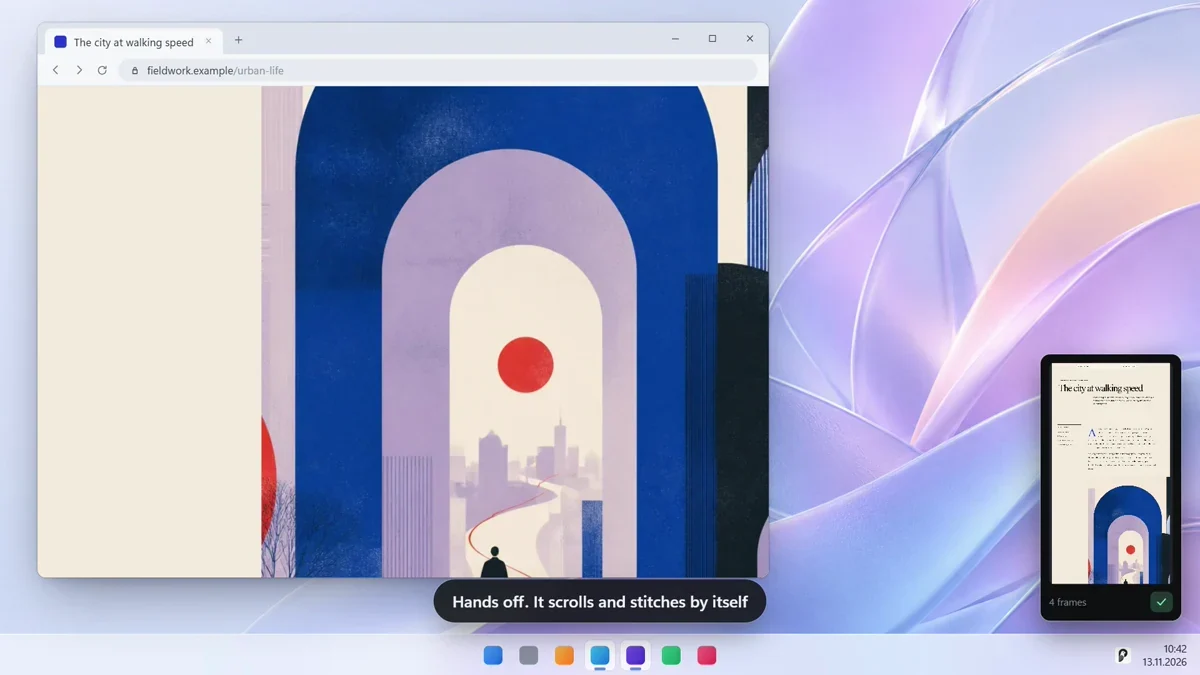

Workflow differences
| Tool | Workflow | What to check |
|---|---|---|
| PIJO | Click the target or select a rectangle. The preview grows during vertical capture. | Stop with Esc and keep captured content. |
| ShareX | Select a region from Scrolling capture. Its guide documents success, partial matching and failure indicators. | Narrow the region around changing elements if the match fails. |
| PicPick | Start Scrolling Window by menu or configurable hotkey. | The PicPick capture notes describe scroll-area adjustment and progress. |
| Snagit | Offers automatic scrolling capture and a manually scrolled option for selected areas. | Check which mode works for the target window, especially if it scrolls horizontally. |
What to try with your own screenshot
Compare a normal webpage, a spreadsheet with a frozen row and a chat pane inside a larger window. Read the first and last visible lines in the result. A screenshot of the tool’s interface cannot establish which tool stitches a particular target more reliably.
We make PIJO. The cover is an illustration. The comparison screenshots show PIJO and examples from the named vendors. The workflows use product documentation and the demos shown here.