 PIJO
Keep it close. Send it on.
Drag screenshots into any app
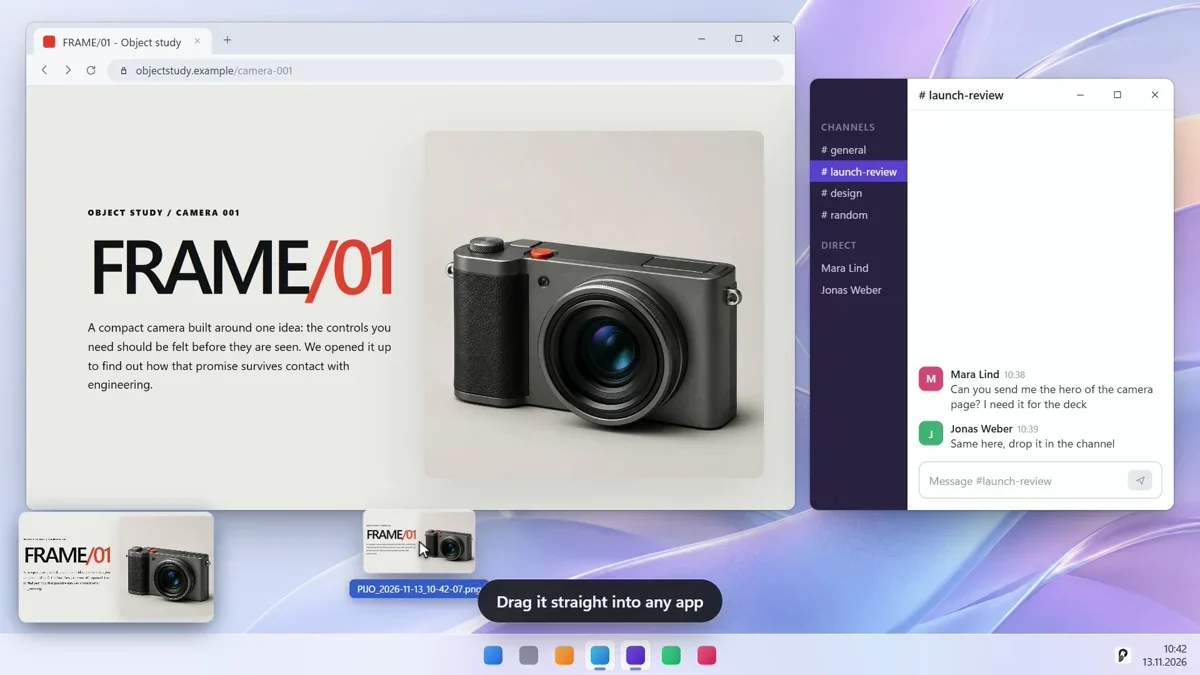
Attach the PNG to a chat, browser upload or folder straight from the card.
The result
Watch it in action
How to use it
- Take a screenshot, then hover over its floating card.
- Press and hold the Drag out button in its action row.
- Drag into an app that accepts image files and release over its drop area.
Options
Good to know
The editor also has a Drag out button for the edited image. Some destination apps accept paste but do not support file drops.