
All features

Make the point

Highlight without hiding

Put a translucent marker wash over the words or values that matter.

The result
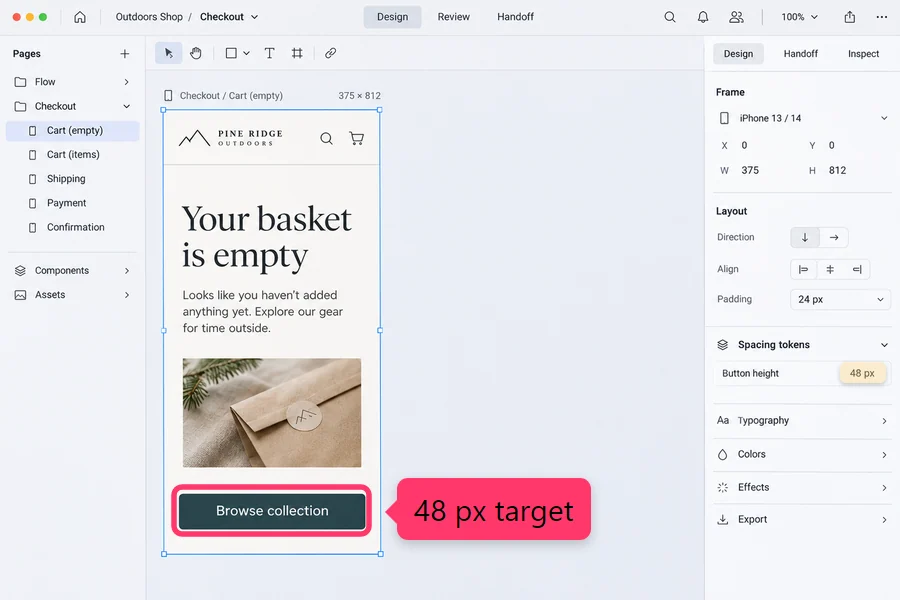
A highlighted 48 px design token beside a boxed checkout button
The marker wash identifies the token while its text remains readable. View full size

How to use it

  1. Press H in the editor and drag across the area.
  2. Click the highlight to choose its ink, or drag its grips to reshape the region.
  3. Double-click to add a caption if the reader needs more context.

Options

Ink
Rose, Amber, Citrus, Mint, Sky, Lilac or Graphite. These are fixed presets, with no colour picker.
Region
Move or resize the rectangle after drawing it.
Caption connection
An edge tooltip or a detached card connected by a dashed line.
Caption text
Golos Text, Georgia or Ink Free, with five sizes: XS, S, M, L and XL. Caption text can be black or white.

Good to know

Highlight is for emphasis. To cover private information, use a region’s solid fill instead.