 PIJO
Give it a finish
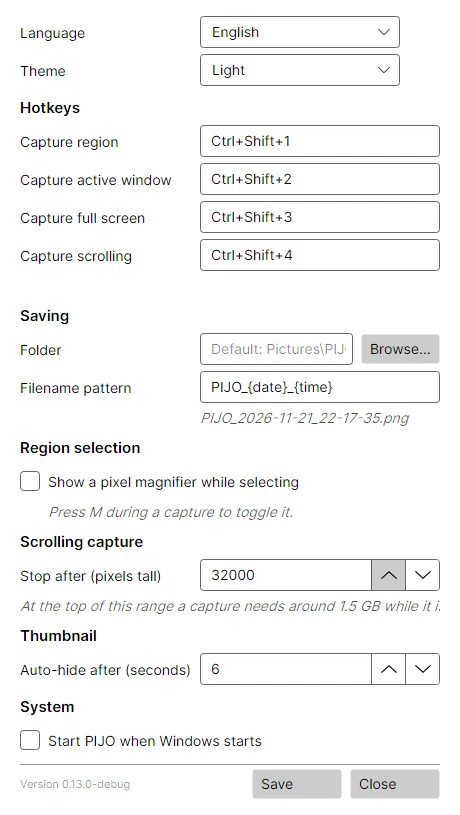
Your shortcuts, language and theme
Set up how PIJO starts, captures and looks, then let it wait quietly in the tray.
The result
How to use it
- Open the PIJO tray icon’s menu and choose Settings.
- Change the preference you need, then save the settings.
- Use the tray icon to open the editor or take another capture whenever you need it.
Options
Good to know
If another app owns a chosen shortcut, Settings reports the conflict. Choose another key combination.