
All features

Make the point

Text labels

Add a title, a short note or a label directly to the screenshot.

The result
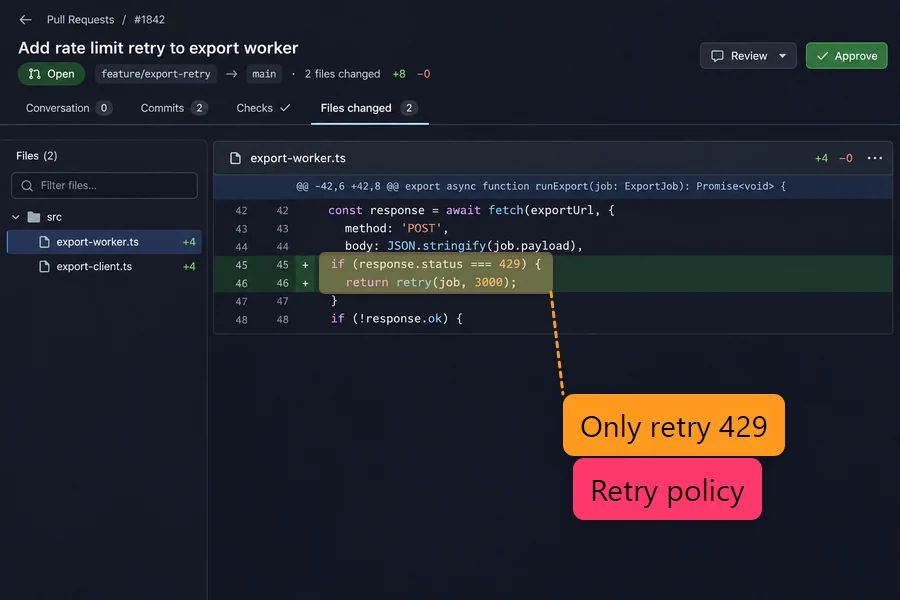
A code screenshot with a Retry policy text label and a separate explanatory note
A text label names the topic; a linked caption explains the highlighted condition. View full size

How to use it

  1. Press T in the editor, click where the label should start and type.
  2. Press Esc or Ctrl + Enter to finish, then select the label to change its style.
  3. Double-click the text to edit it. Drag the label to move it.

Options

Ink
Rose, Amber, Citrus, Mint, Sky, Lilac or Graphite. These are fixed presets, with no colour picker.
Font and size
Golos Text, Georgia or Ink Free, with five sizes: XS, S, M, L and XL.
Text colour
Black or white, with or without a card. The card uses the chosen ink.
Plate
Bare text or a solid card in the chosen ink with a soft shadow.

Good to know

Clearing a text label and finishing the edit removes it. Clearing a step caption leaves its badge in place.